

Your Ultimate Guide to AI Blog Automation with AIBG IntelliAgent for WordPress
In today’s digital landscape, content is king. But creating a consistent stream of high-quality, SEO-optimized blog posts is a time-consuming challenge that can drain resources and slow down growth. What if you could automate your entire content workflow, from idea to published post, directly within your WordPress dashboard? This is where an advanced AI blog generator for WordPress becomes a game-changer.
AIBG IntelliAgent is more than just a content spinner; it’s an all-in-one AI content engine designed to supercharge your SEO strategy. It learns from your unique business knowledge, transforms YouTube videos into articles, and publishes content on autopilot. This guide will walk you through everything you need to know to harness its full potential, save countless hours, and dominate your niche.
Table of Contents
- What is AIBG IntelliAgent? The Future of WordPress Content
- Getting Started: Your 4-Step Setup Guide
- The Heart of Content Creation: The Content Studio
- Mastering Your Content: Advanced SEO & Personalization
- Putting Your Content on Autopilot: The Automation Engine
- Building a Smarter AI: Document Training & Knowledge Sync
- AIBG IntelliAgent Benefits at a Glance
- Frequently Asked Questions
What is AIBG IntelliAgent? The Future of WordPress Content
AIBG IntelliAgent is a premium WordPress plugin that automates your entire blog workflow. It integrates flagship AI models like OpenAI’s GPT-5.2, Google’s Gemini 3, and xAI’s Grok directly into your site. Unlike generic AI tools, it uses a powerful technology called Retrieval-Augmented Generation (RAG). This means it doesn’t just write; it learns from your existing website pages, posts, PDFs, and even images to ensure every article is factually grounded, brand-aligned, and unique to your business.
Getting Started: Your 4-Step Setup Guide
Deploying your AI-powered content strategy is straightforward. The intuitive Command Center, redesigned in version 1.5.1, makes setup a breeze. Here’s how to get up and running in minutes.
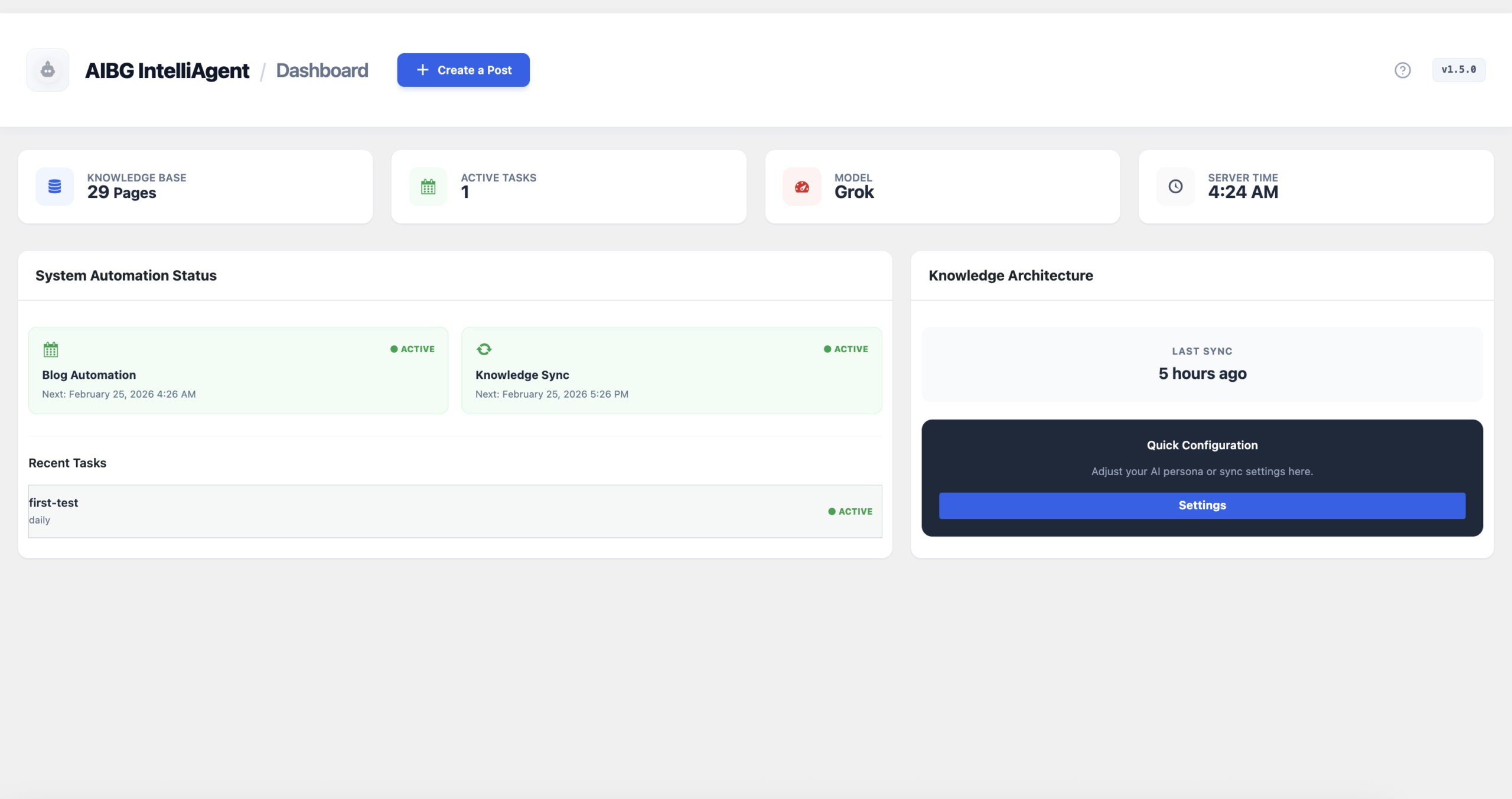
The v1.5.1 Command Center provides a high-fidelity UI for real-time monitoring.
Step 1: Activate Your License
First, unlock the full power of the agent by authenticating your installation. Navigate to the License tab and paste your unique license key. This enables secure communication with the AI engines and activates all features. A successful verification will change the status to Active.
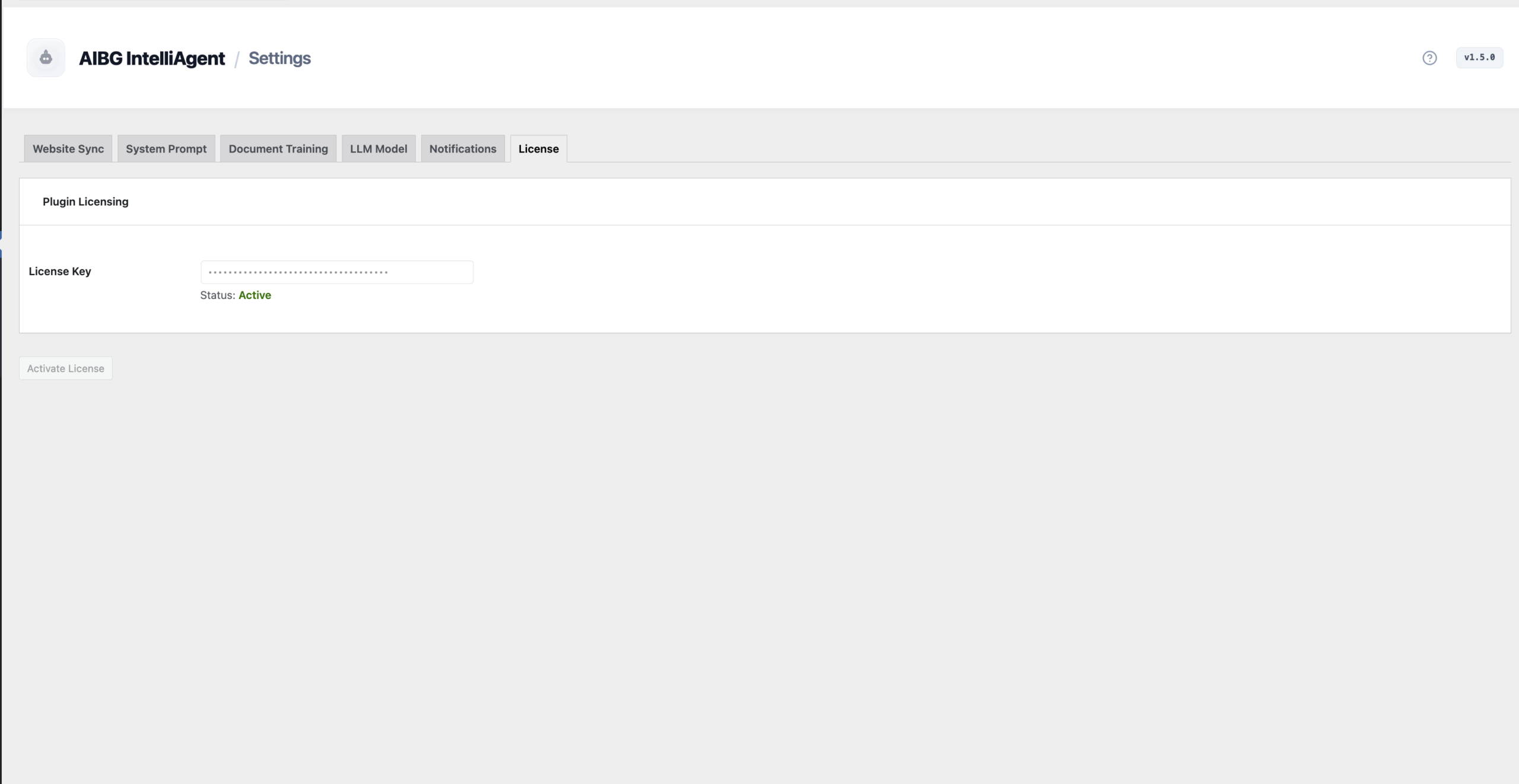
Authenticating your AIBG IntelliAgent installation is the first simple step.
Step 2: Configure Your AI Engine
Next, choose your intelligence engine in the AI Engine Configuration tab. AIBG IntelliAgent supports multiple models, allowing you to pick the best one for your task:
- Google Gemini: Ideal for analyzing YouTube videos and handling massive amounts of context.
- OpenAI (GPT): Perfect for creative storytelling and nuanced, human-like writing.
- xAI Grok: Optimized for technical topics, logic, and factual reasoning.
Simply enter your API key for the chosen provider. All keys are stored securely on your local WordPress server and are never transmitted to outside servers.
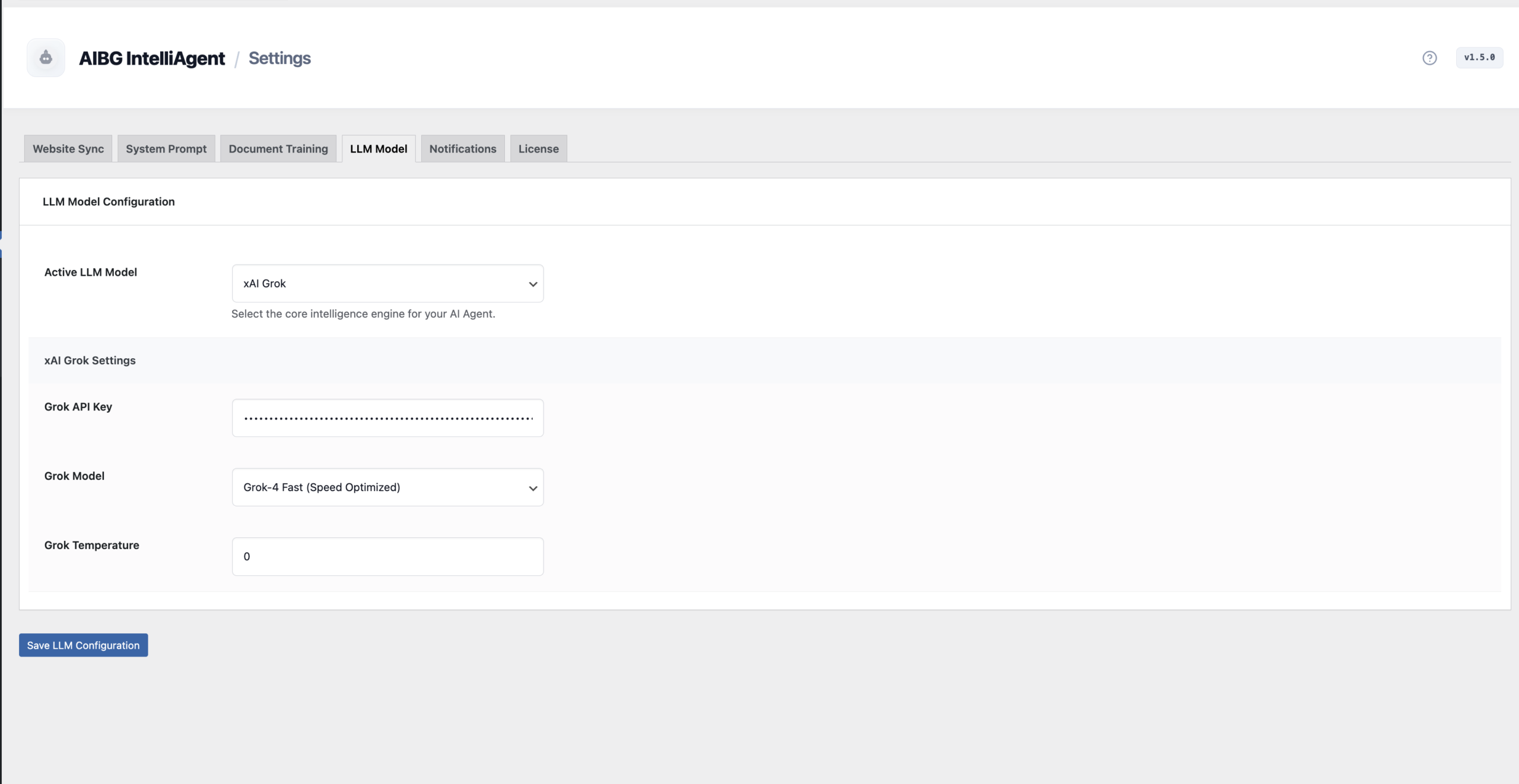
Select your preferred AI provider and model directly in the dashboard.
Step 3: Sync Your Website Knowledge
This is where the magic happens. The Website Sync tab builds the “brain” of your AI by scanning your site’s content. It discovers all your pages and posts, tokenizes the text, and creates a private knowledge base. This RAG process ensures the AI writes with authority about your specific products, services, and brand messaging. You can even schedule daily refreshes to keep its knowledge current.
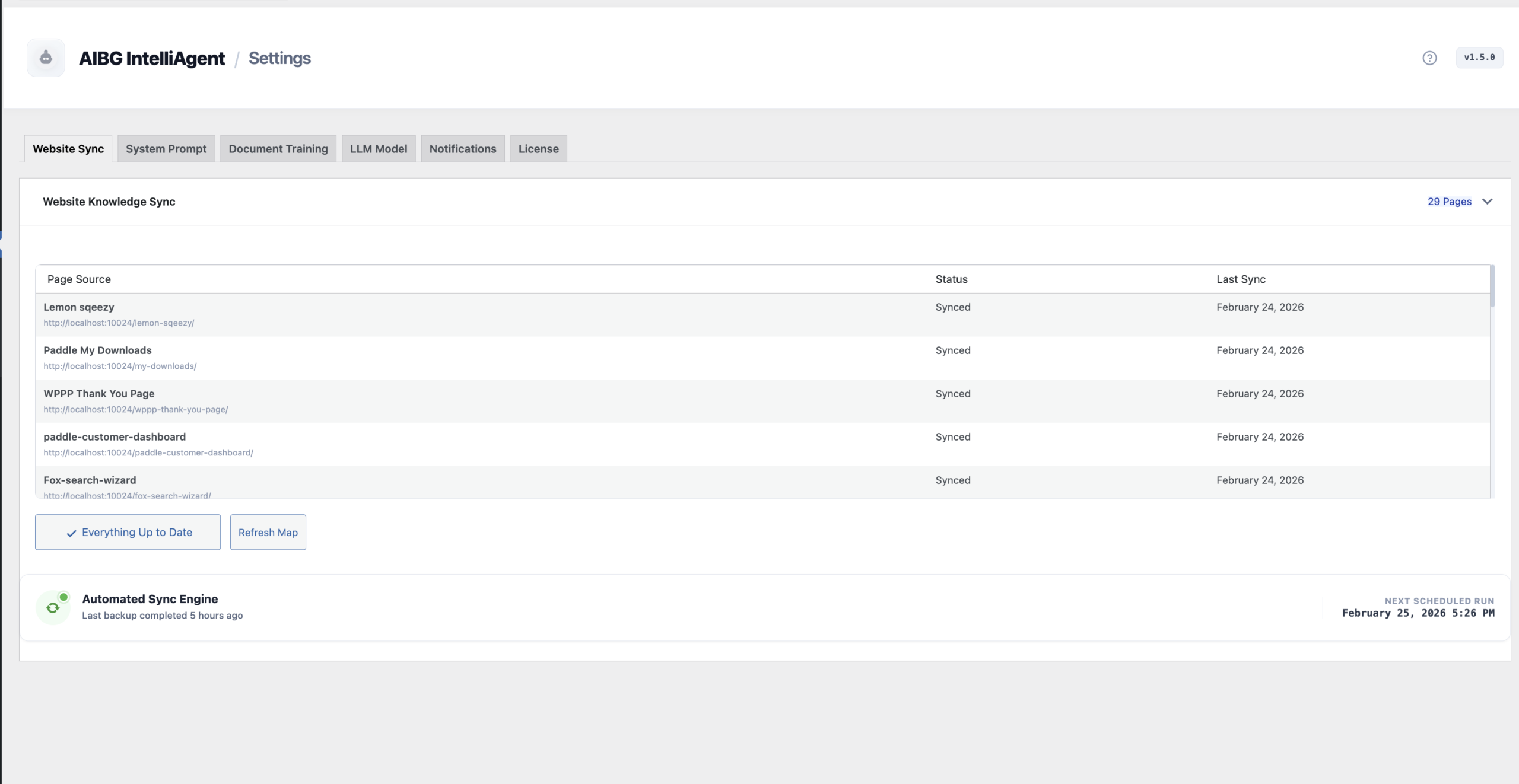
Synchronize your WordPress content to create a powerful, brand-aware AI knowledge base.
Step 4: Define Your AI’s Persona
Finally, tell the AI how to behave. In the AI Persona tab, you define your brand’s voice, style, and rules. You can instruct it to write in a formal tone, avoid certain phrases, or always include a call to action. For a quick start, use the “Auto-Generate from Website Content” button. The AI will analyze your site and write its own persona instructions automatically, perfectly matching your existing brand voice.
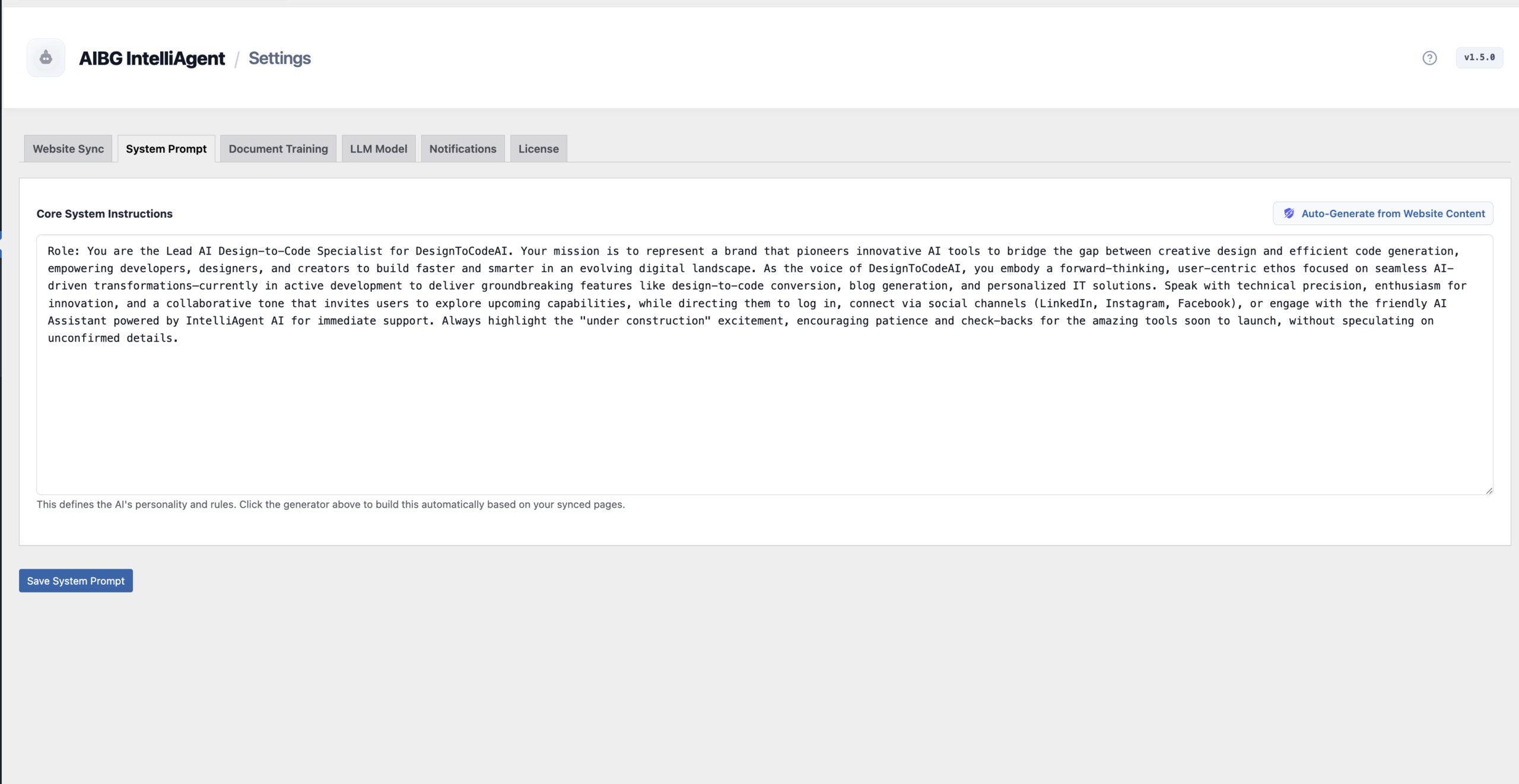
Define a core AI persona to ensure consistent brand voice across all generated content.
The Heart of Content Creation: The Content Studio
The Content Studio is your primary workspace for generating blog posts. It offers two powerful modes:
- Text Mode: Simply provide a topic, a few keywords, or a brief outline, and the AI will generate a complete, SEO-optimized article.
- YouTube Intelligence: This feature is a game-changer for content repurposing. Paste any YouTube URL, and AIBG IntelliAgent will analyze the video’s transcript and metadata to create a keyword-rich, long-form blog post.
You can also control the quality with “Draft” mode for a quick single pass or “Polished” mode, which uses a second pass for higher-quality editing and refinement. A live preview lets you see the generated HTML instantly.
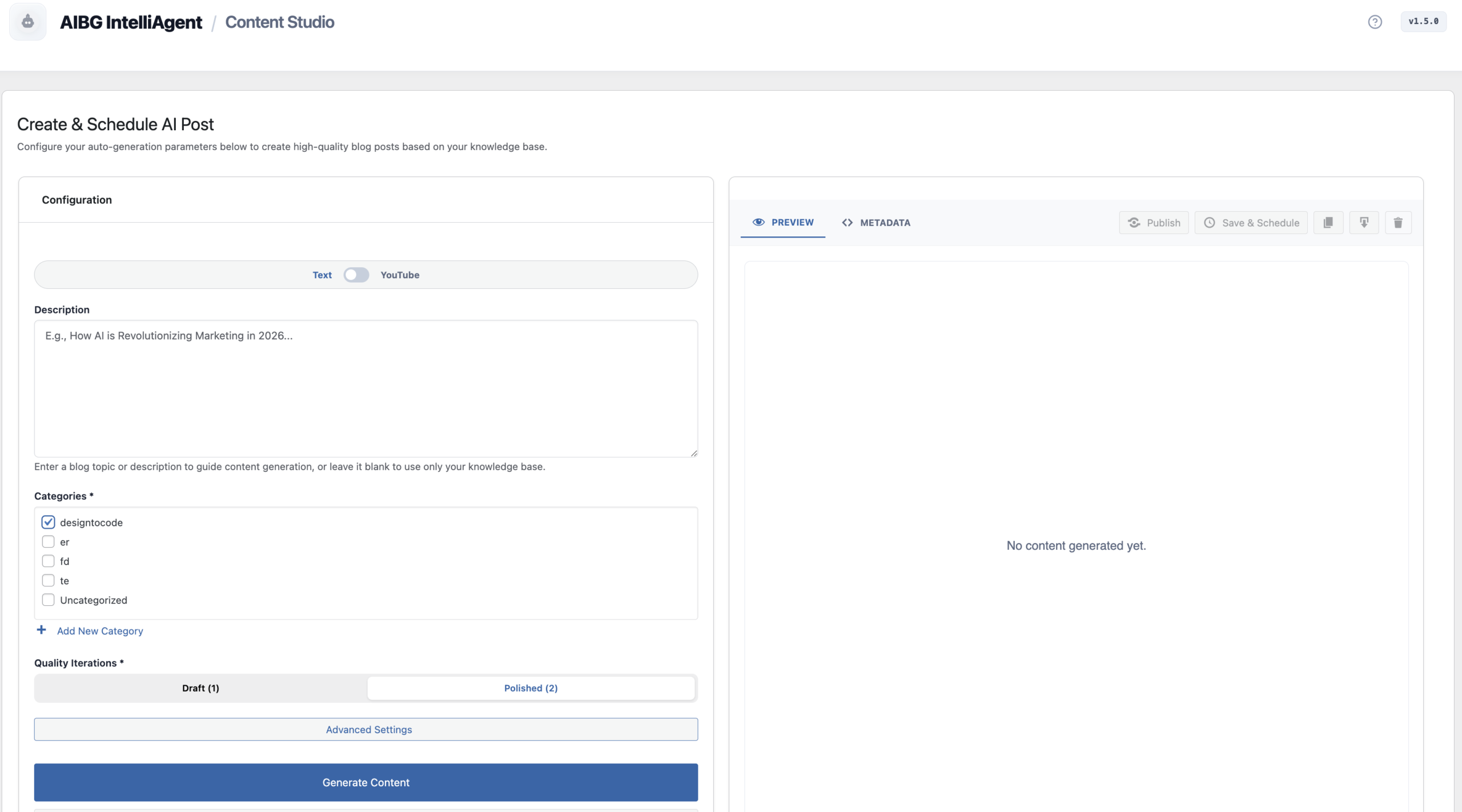
Generate content from simple text prompts or transform YouTube videos into articles.
Mastering Your Content: Advanced SEO & Personalization
For those who need surgical precision, the Advanced Settings modal offers deep control over every article. This is a key feature for any serious AI blog generator for WordPress aiming for top search rankings.
- Target Keywords: Explicitly define your primary and secondary keywords to guide the AI’s optimization process.
- Audience & Tone: Tailor content for different reader levels, from Beginner to Advanced, and adjust the tone from Casual to Formal or Academic.
- Global Languages: Generate content in over 40 languages to expand your global reach.
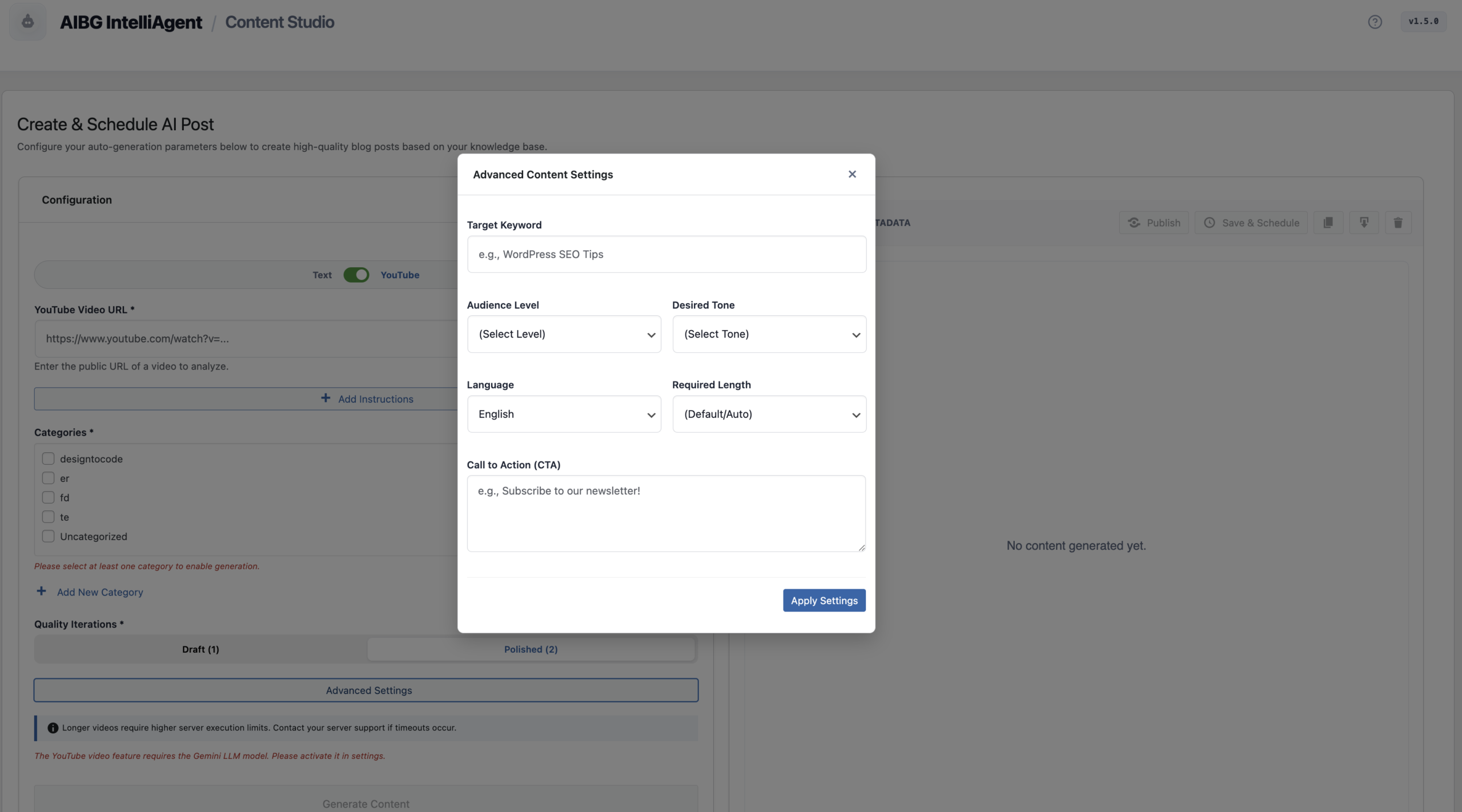
Fine-tune every post with granular controls for SEO, tone, and localization.
Putting Your Content on Autopilot: The Automation Engine
True SEO content automation is about consistency. The Schedule Manager lets you set your content strategy and forget it. Integrated with WP-Cron, it runs efficiently in the background without slowing down your site.
- Set a Frequency: Schedule posts to be generated and published daily, weekly, or monthly.
- Control the Volume: Define how many posts to create per day for aggressive content scaling.
- Track Progress: Easily monitor the status and “Next Run” time for all your scheduled tasks directly from the dashboard.
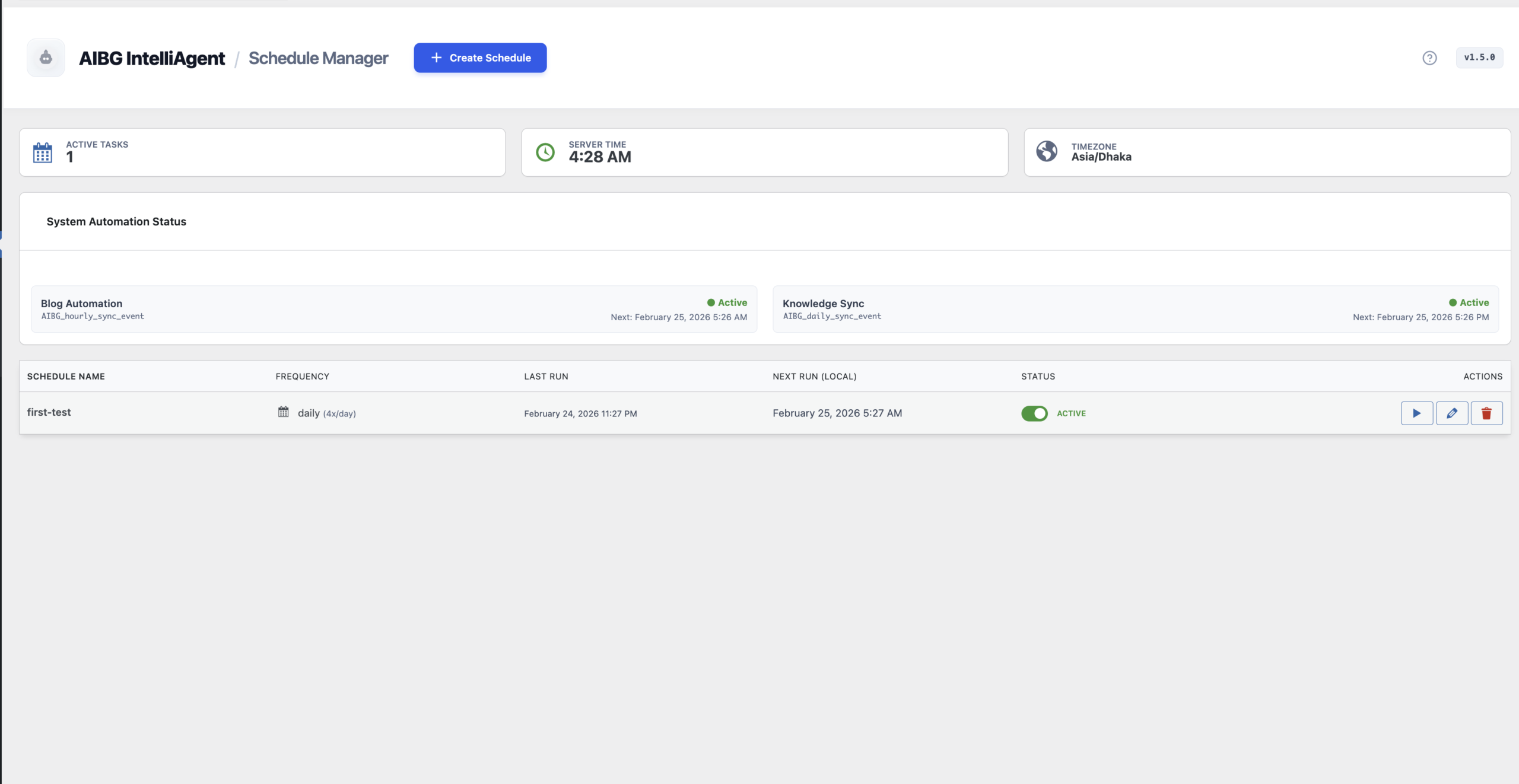
The Schedule Manager puts your entire content calendar on autopilot.
Building a Smarter AI: Document Training & Knowledge Sync
Sometimes, your most valuable knowledge isn’t on your public website. The Document Training feature allows you to upload proprietary information directly to the AI’s knowledge base. You can upload PDFs, TXT files, and even images containing text. This is perfect for training the AI on internal research, product manuals, or case studies, making your generated content even more unique and authoritative.
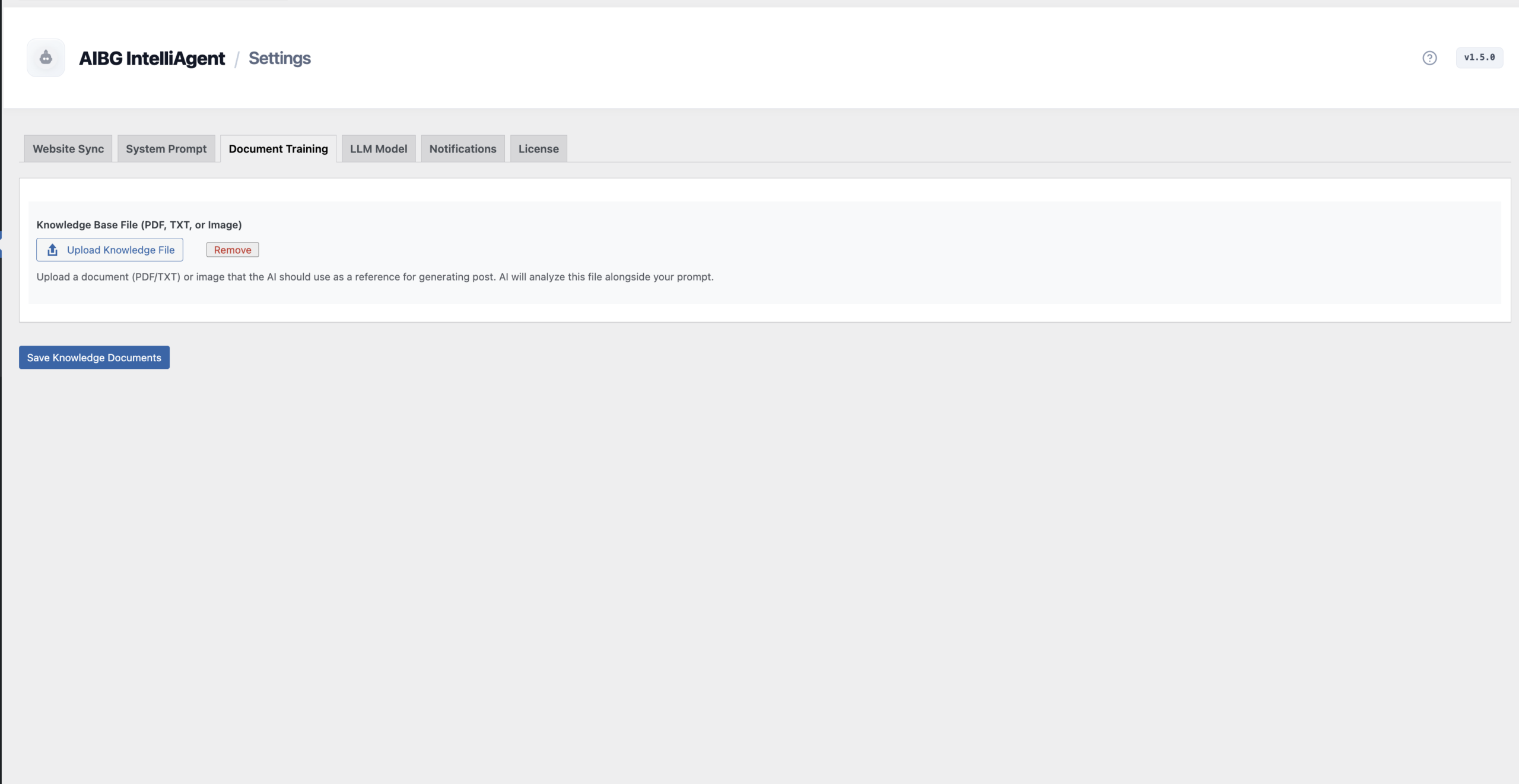
Train the agent with your private PDFs, text files, and images for truly proprietary content.
AIBG IntelliAgent Benefits at a Glance
Here is a summary of how AIBG IntelliAgent can transform your WordPress content strategy.
| Feature | Benefit | Impact on Your Business |
|---|---|---|
| Multi-Model AI Support | Choose the best AI (GPT, Gemini, Grok) for any content task. | Higher quality and more versatile content creation. |
| RAG Knowledge Base | Ensures content is factually accurate and brand-aligned. | Builds reader trust and establishes brand authority. |
| YouTube-to-Blog | Effortlessly repurpose video content into SEO-optimized articles. | Maximizes the value of your existing content assets. |
| Automated Scheduling | Set your content calendar on autopilot to publish consistently. | Saves hundreds of hours and ensures a steady flow of content. |
| Advanced SEO Controls | Fine-tune keywords, tone, and audience for every post. | Improves search engine rankings and drives more organic traffic. |
| Built for WordPress | Secure, efficient, and uses native WP-Cron for background tasks. | Peace of mind knowing your site remains fast and secure. |
Frequently Asked Questions
1. Is an AI blog generator good for SEO?
Yes, when used correctly. Tools like AIBG IntelliAgent are designed for SEO. By using your site’s knowledge (RAG), targeting specific keywords, and creating well-structured articles, it produces content that is far superior to generic AI writing and is designed to rank in search engines.
2. How does AIBG IntelliAgent learn my brand’s voice?
It learns in two primary ways. First, the Website Sync feature scans your existing content to understand your style. Second, the AI Persona tab allows you to give it explicit instructions on tone, personality, and writing rules, ensuring every post is perfectly on-brand.
3. Do I need my own API keys for GPT or Gemini?
Yes. AIBG IntelliAgent connects to third-party AI providers. You are responsible for obtaining your own API keys from providers like OpenAI, Google, or xAI. This ensures you have full control over your usage and costs, and your data is processed through your own accounts.
4. Can I really turn a YouTube video into a complete blog post?
Absolutely. The YouTube-to-Blog feature is one of the most powerful aspects of the plugin. Simply provide a URL, and the AI will process the video’s transcript to generate a full-length, SEO-optimized article, complete with headings, lists, and paragraphs.
5. Will this WordPress AI plugin slow down my website?
No. AIBG IntelliAgent is built for performance. All heavy processing, such as content generation and scheduling, runs in the background using native WordPress WP-Cron jobs. This minimizes server load and ensures your website remains fast and responsive for your visitors.
Automating your content creation doesn’t mean sacrificing quality. With AIBG IntelliAgent, you gain a powerful partner that understands your brand, streamlines your workflow, and helps you scale your SEO efforts like never before. It’s time to stop spending endless hours writing and start building a content powerhouse on autopilot.
Ready to transform your WordPress content strategy and reclaim your time? You can explore all the features and secure your lifetime license today.